It can't go online
The Android app doesn't have the internet permission, and the iPhone app has no networking code. Below are four ways to check it yourself.
Offline card vault · Android and iPhone
Treepisode Card Box keeps your credit, debit, prepaid and forex cards in one encrypted vault on your phone, with photos or PDFs of your ID cards and passport in its Document Vault. No internet access, no account, no server: nothing you keep in it leaves your phone.
Free for up to 4 cards and 4 documents. Lifetime is a one-time purchase: ₹599 in India, US$10 in other countries.
Why offline
Most apps that hold your cards keep a copy online, behind an account. Card Box keeps everything on your phone, encrypted, and never goes online.
The Android app doesn't have the internet permission, and the iPhone app has no networking code. Below are four ways to check it yourself.
No email, no phone number, no account. There's no online copy of your cards to break into, and no login to steal.
A backup is one encrypted file. You choose where it goes: Google Drive, OneDrive, a USB drive or your phone.
Don’t take our word for it
Saying “offline” is easy. These checks take a minute, need no technical knowledge, and don’t depend on trusting us.
Open Card Box on Google Play, then About this app → App permissions. An app that can use the internet lists “full network access”. Card Box doesn’t. (You’ll see “view network connections”: it only tells an app whether the phone is online, and comes with Google’s payment and camera libraries. It can’t send or receive anything.)
Android: Settings → Apps → Card Box → Mobile data (the names vary by phone) shows 0 B, whatever you do. iPhone: turn on Settings → Privacy & Security → App Privacy Report; Card Box never appears under App Network Activity.
Turn on airplane mode and use everything: add a card, show the CVV, make a backup. Nothing stops working, because nothing needed the internet.
Google Play’s Data safety section for Card Box says No data collected and No data shared. Apps must answer these questions truthfully, and the store can remove apps that don’t.
Features
Made for the moments that matter: paying online, checking a due date, or blocking cards after losing your wallet.
Your wallet
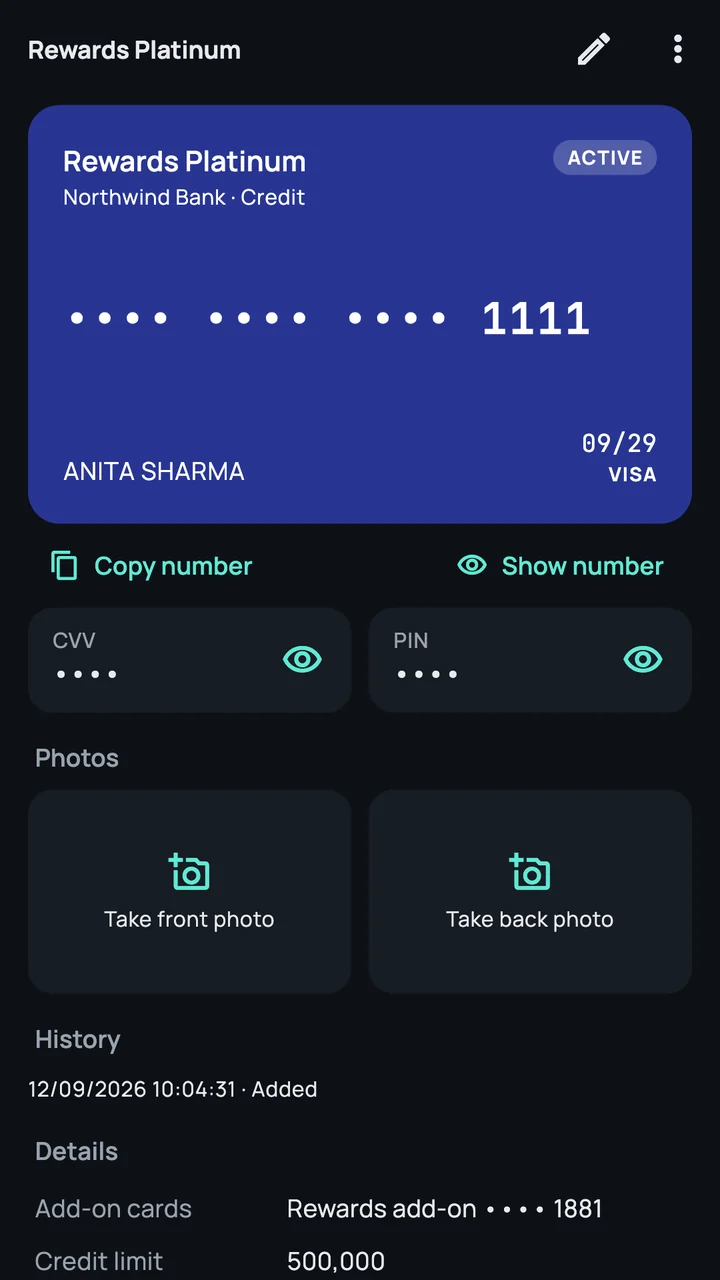
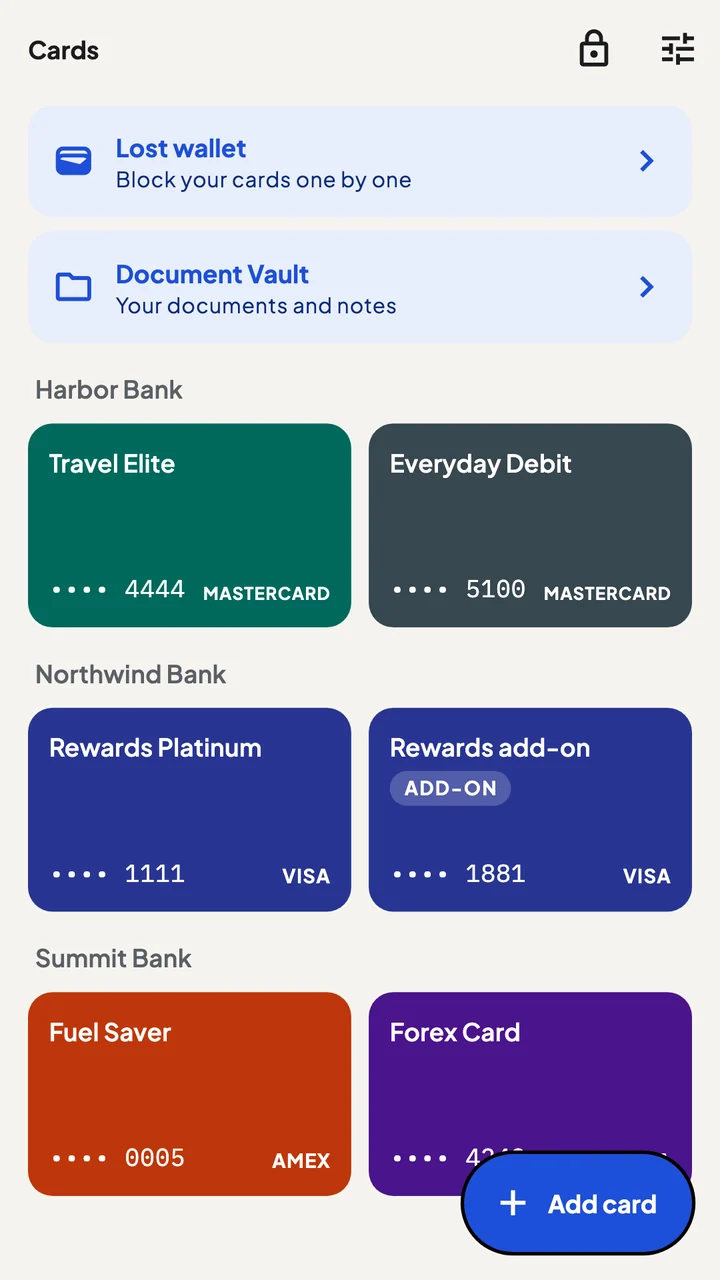
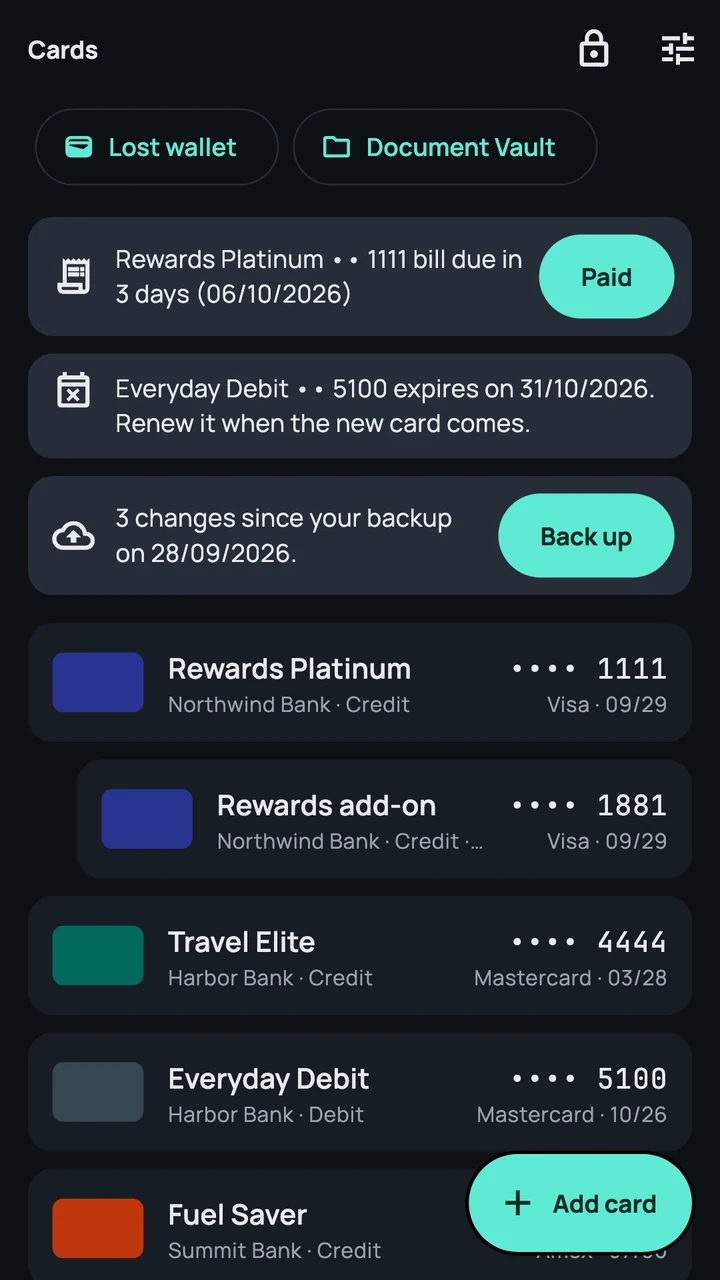
Credit, debit, prepaid and forex cards, with add-on cards under the main card. Each card keeps its bank, expiry, statement day, due day and credit limit.
Privacy
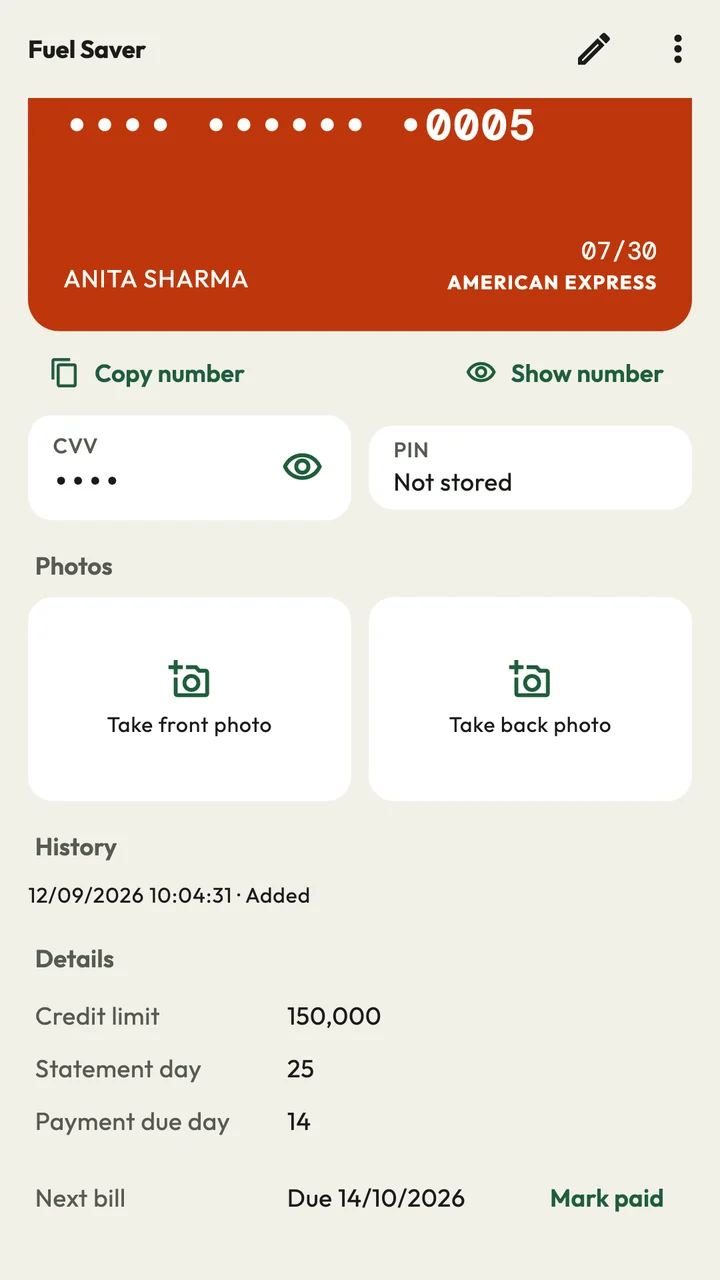
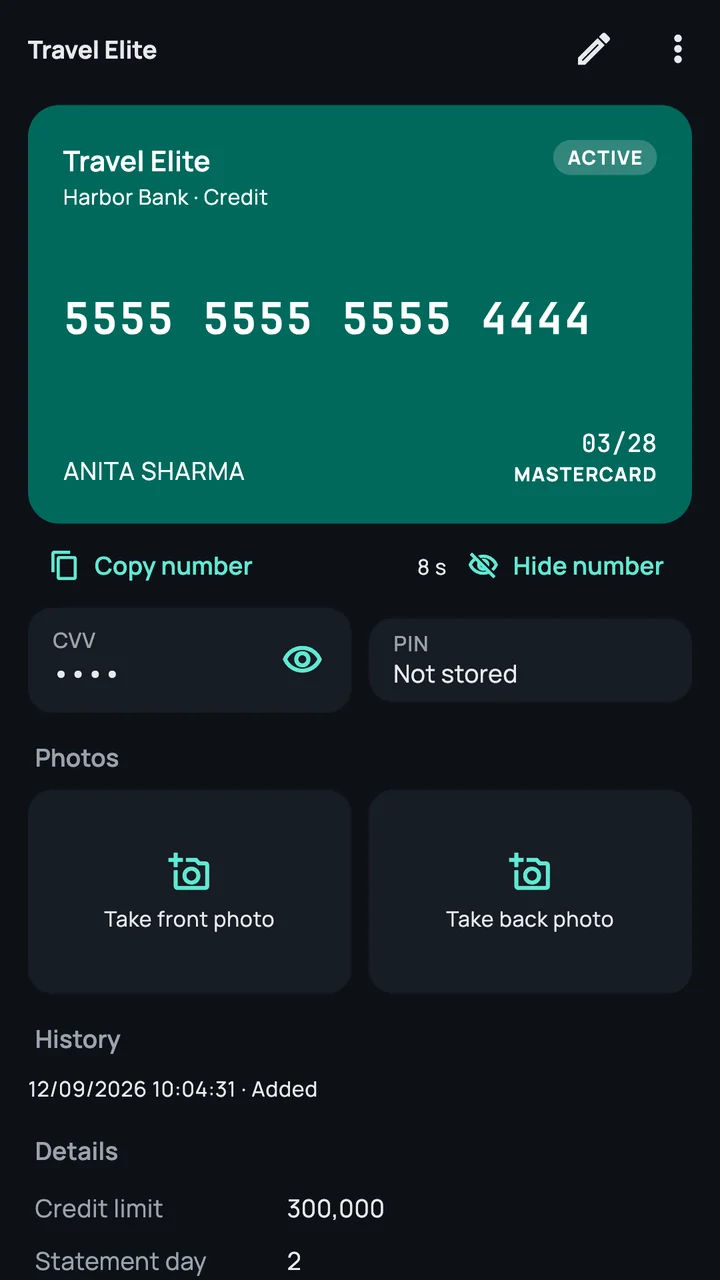
A card shows only its last 4 digits. The full number, CVV, PIN and card photos need a fresh fingerprint or Face ID, and hide again after 10 seconds.
Reminders
A reminder 5 days and 1 day before a bill is due, and on the day, until you mark it paid. Another 30 days before a card expires, and one when it's time for a backup.
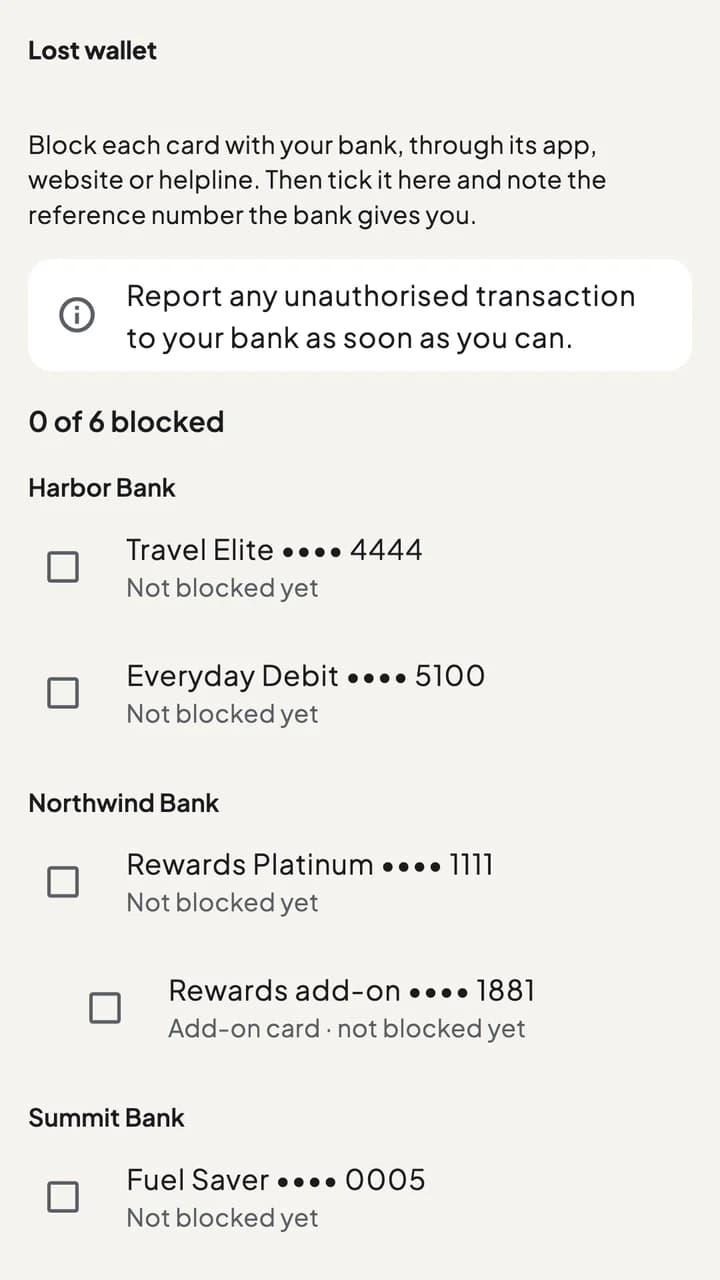
Lost wallet
Every active card in one list, grouped by bank. Block each card with your bank, tick it off, and note the bank's reference number.
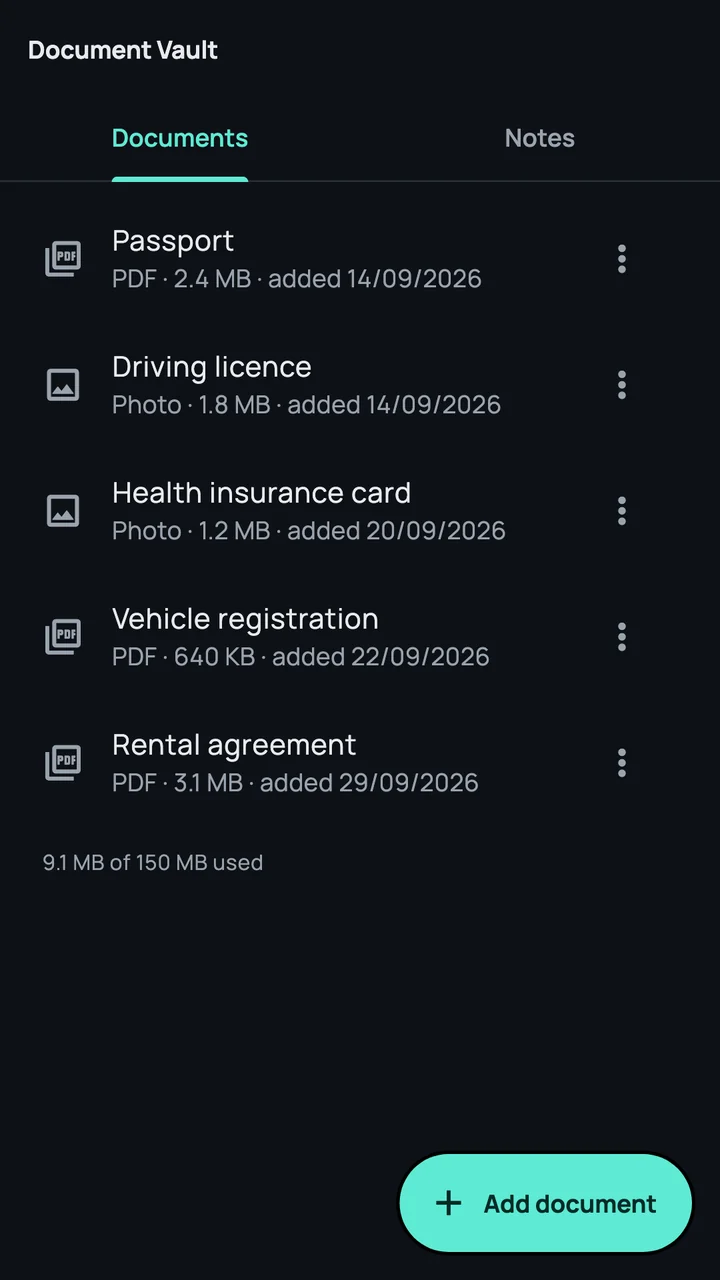
Document Vault
Keep photos or PDFs of your ID cards, passport and other papers, and notes for things like a locker code, encrypted beside your cards. A document shows full screen for 20 seconds after a fingerprint or Face ID check, then hides again.
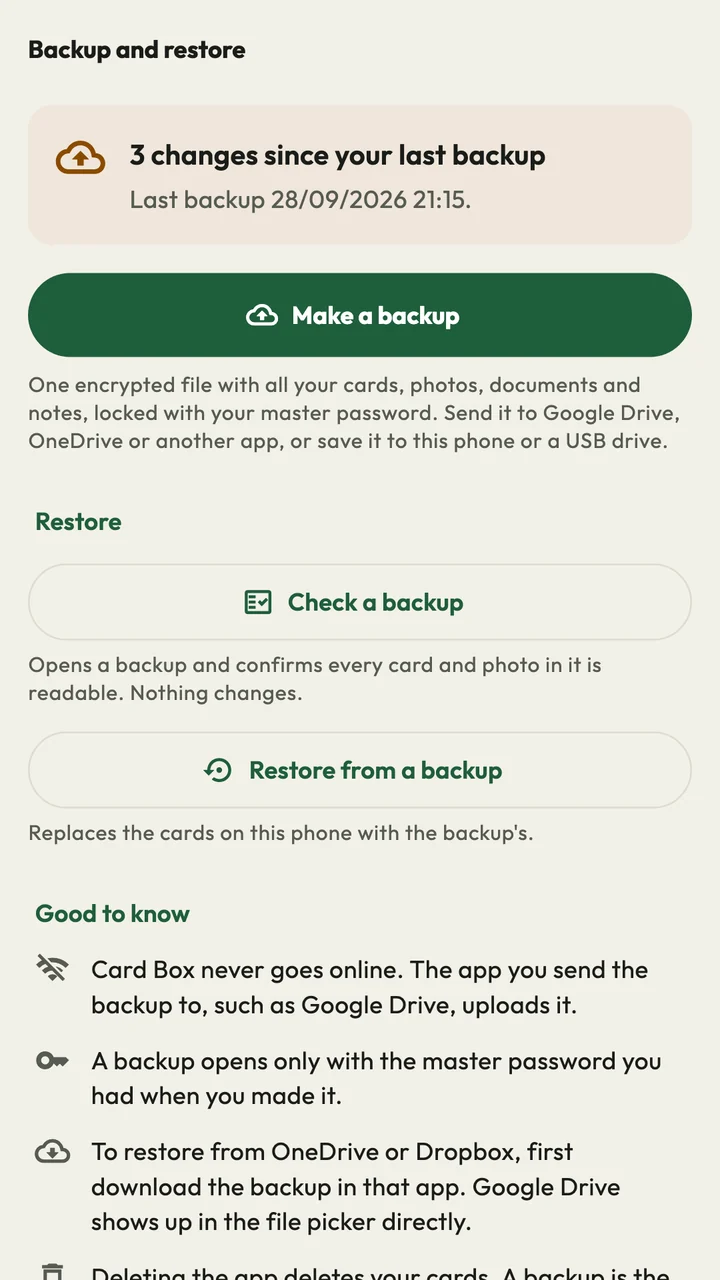
Backup
One encrypted file with all your cards, photos, documents and notes, locked with your master password. Keep it somewhere safe, then restore it on a new phone.
Choose Midnight, Daylight or Forest in Settings. Automatic follows your phone’s dark mode.
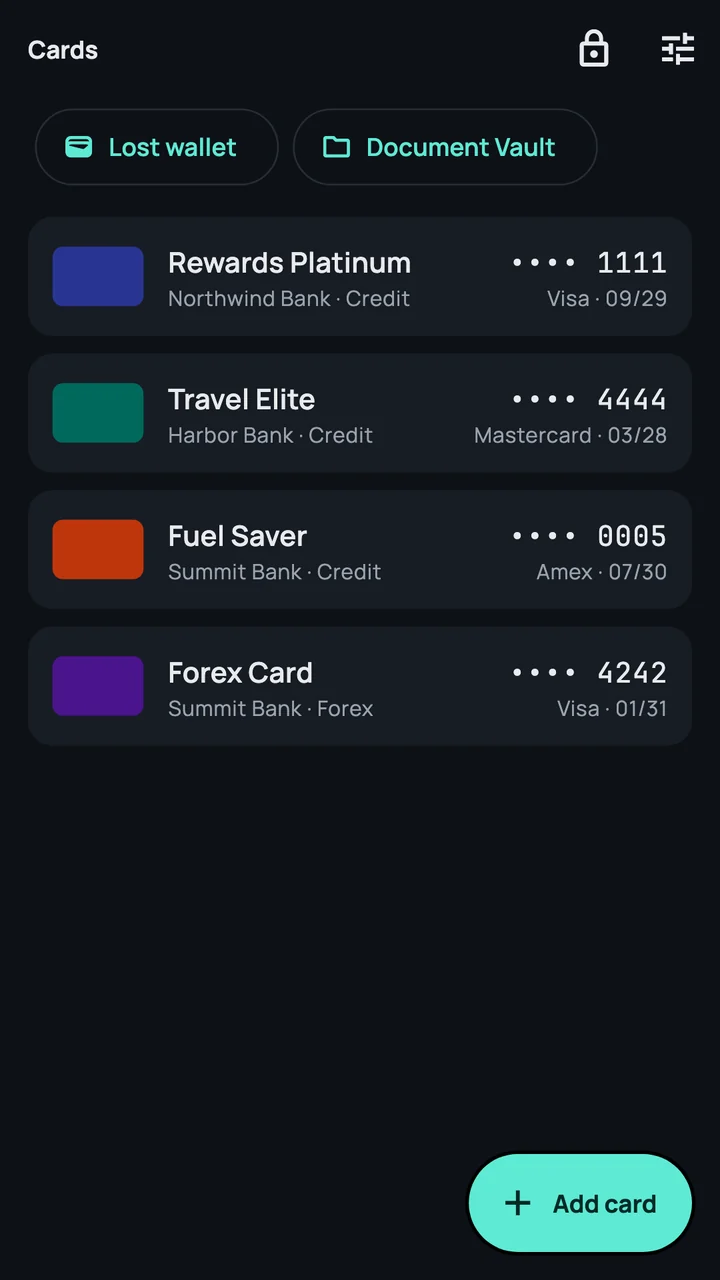
Midnight
A list
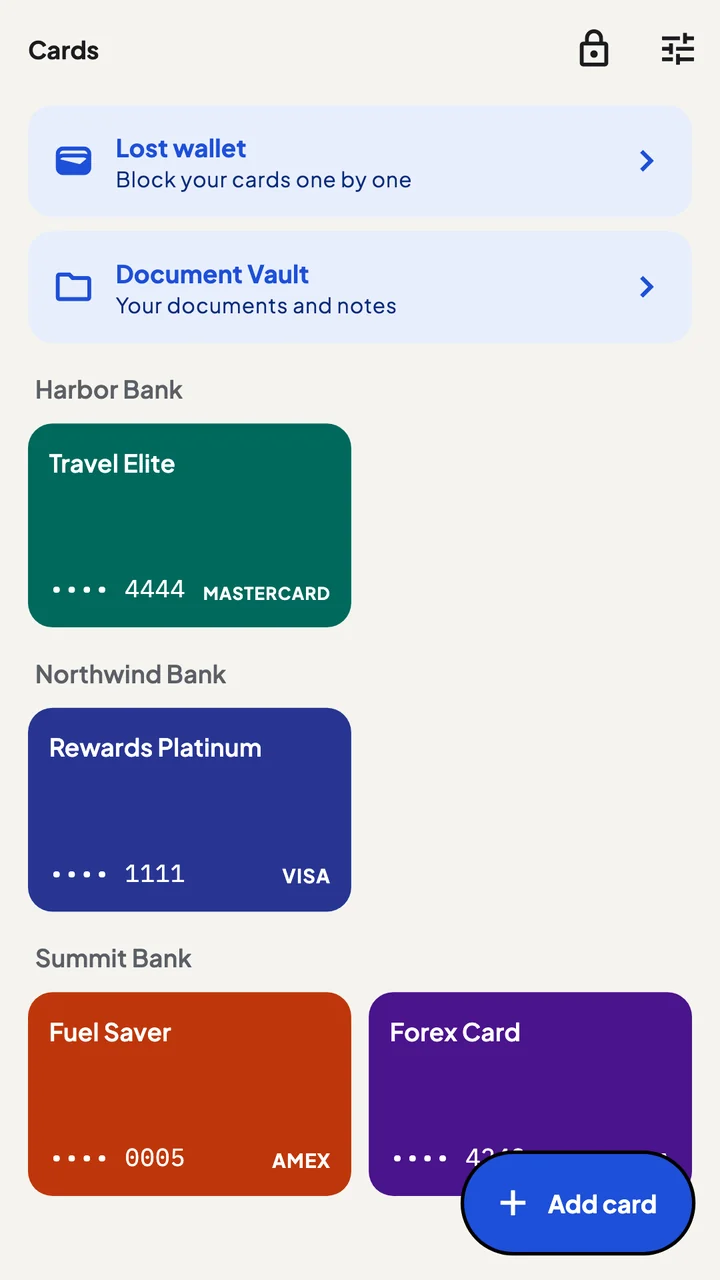
Daylight
A grid by bank
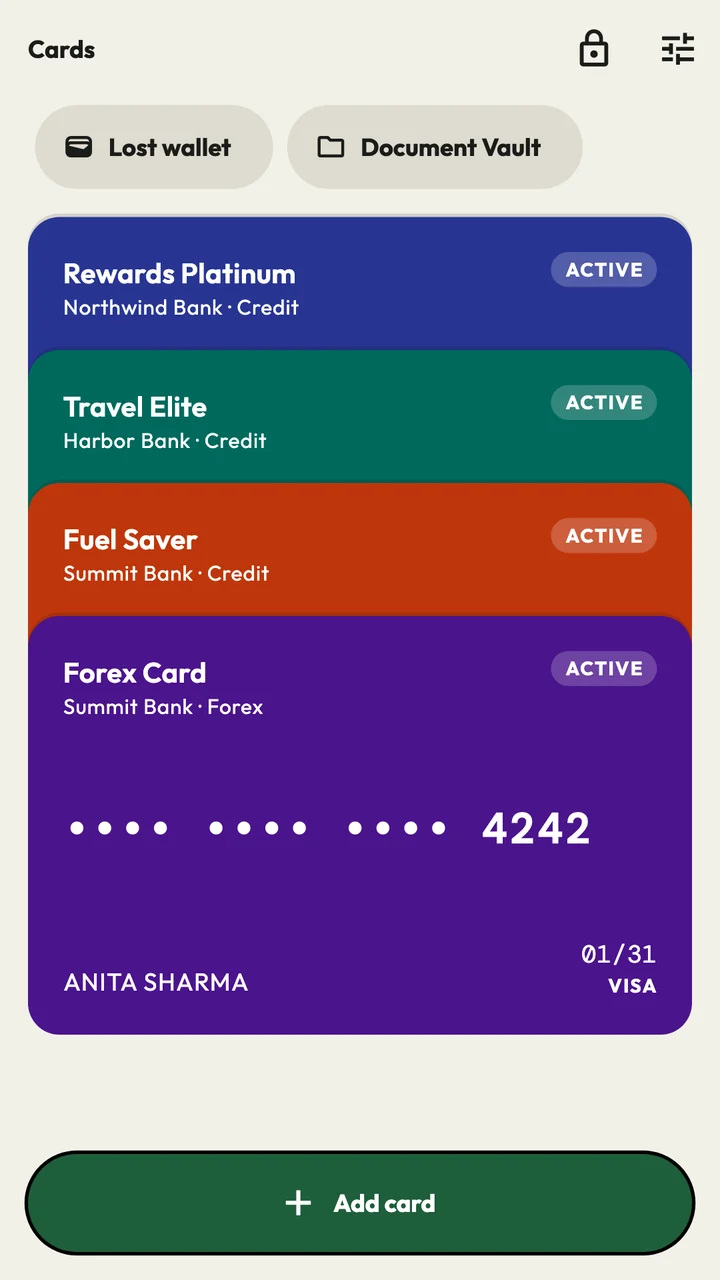
Forest
A stack of cards
How to use
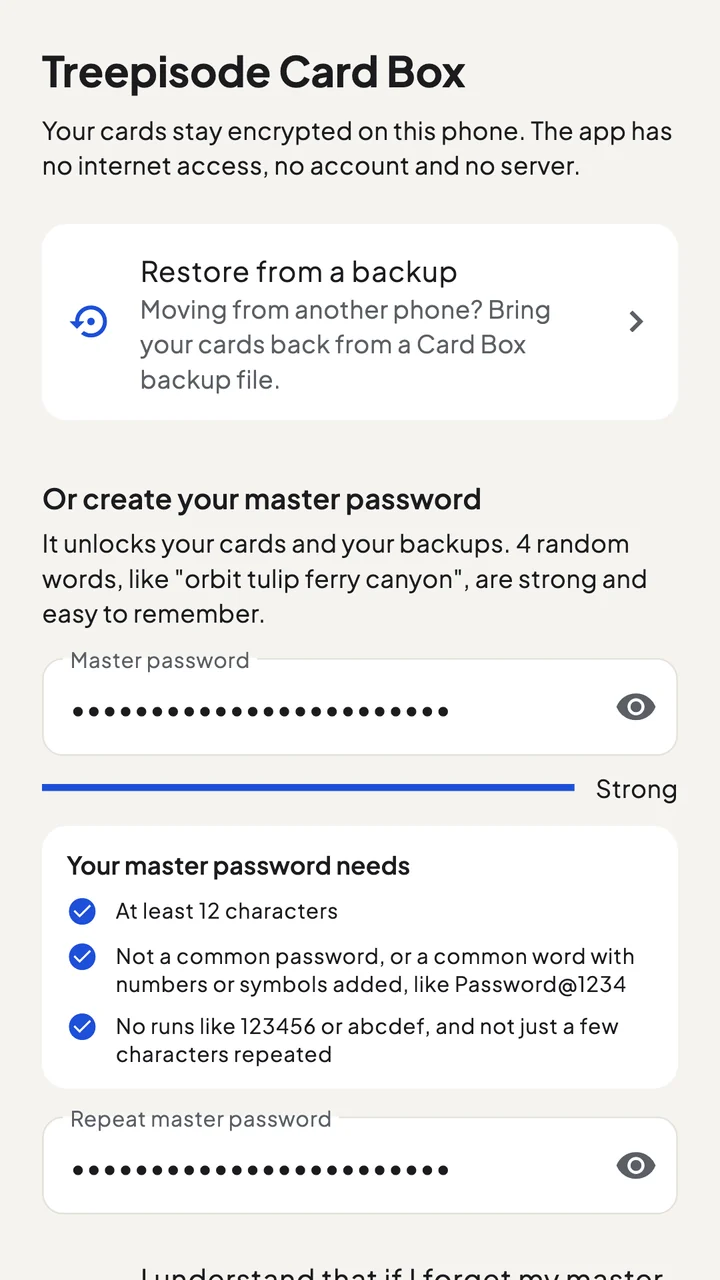
Four random words work well. It opens your vault and your backups, and nobody can reset it.
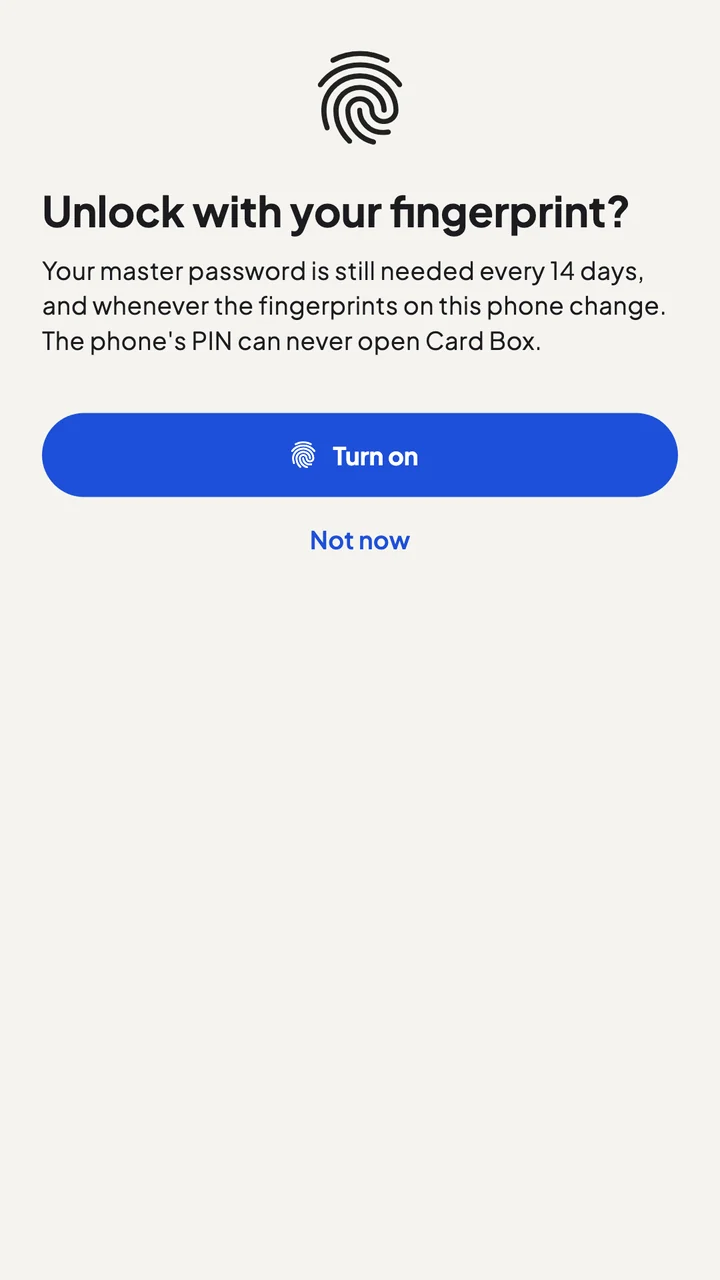
Open Card Box with a touch or a glance. The master password is asked for again every 14 days.
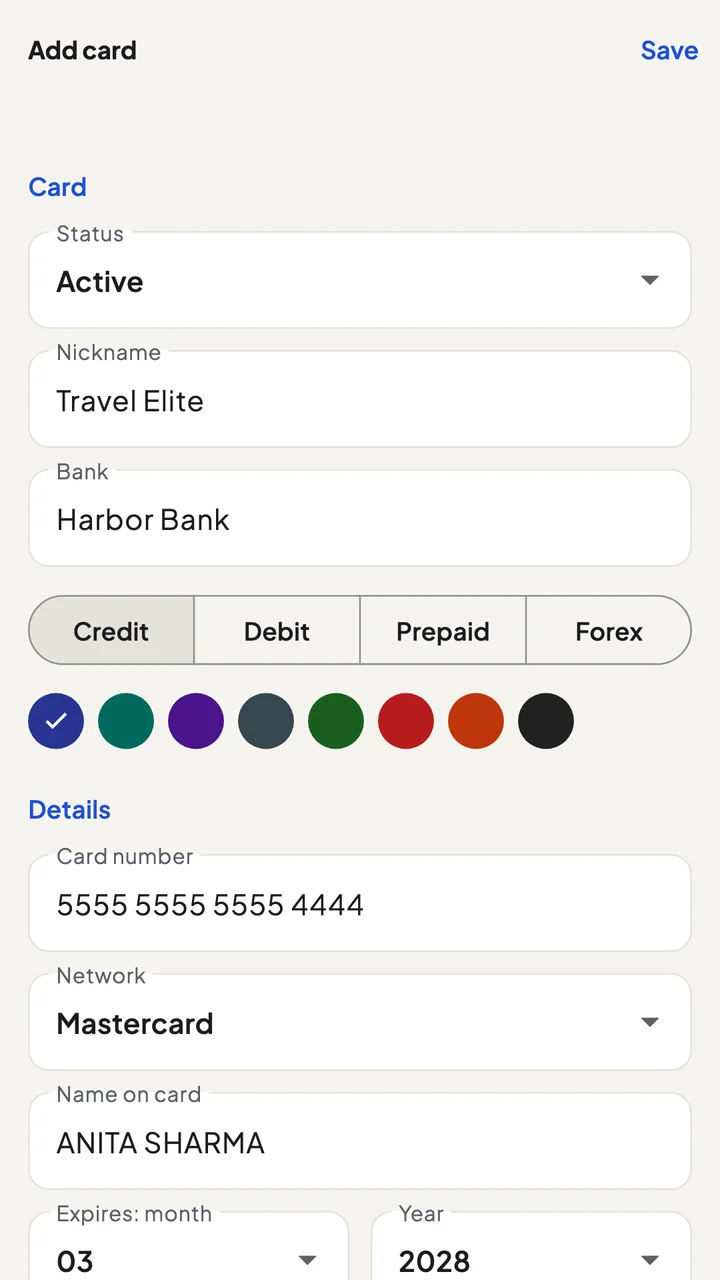
Nickname, bank, number and expiry. The card network is filled in from the number.
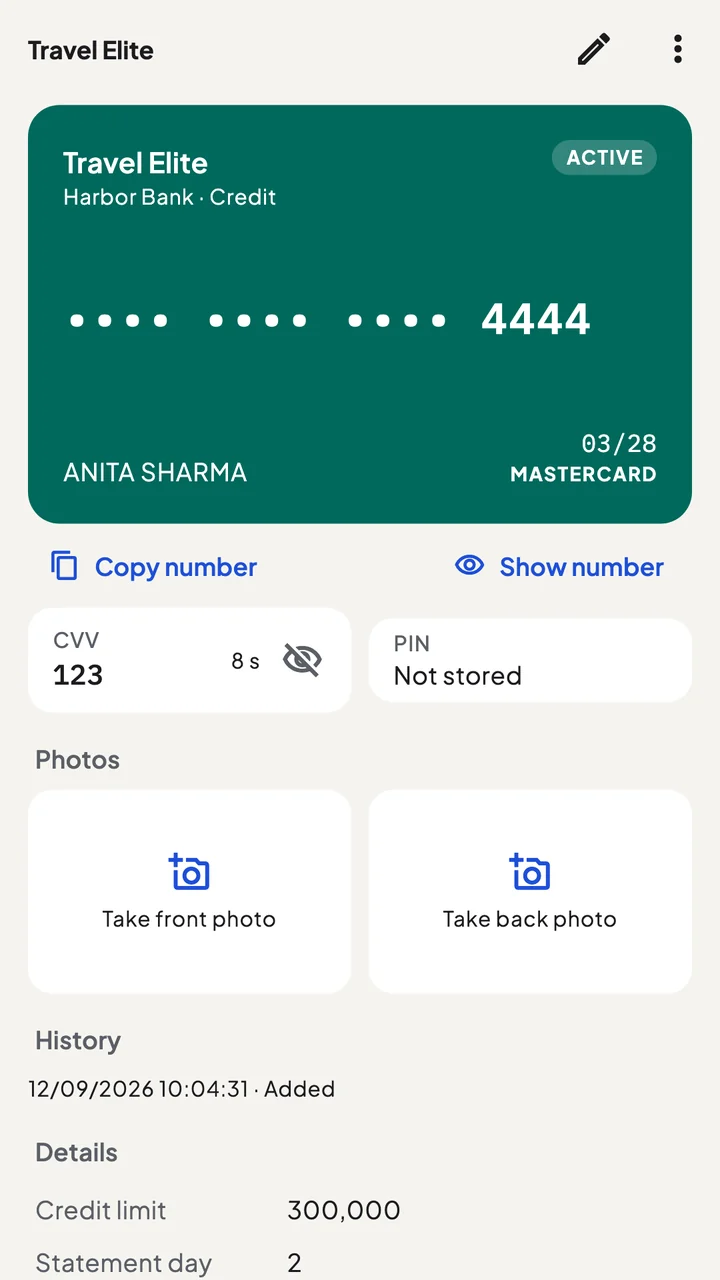
Tap Copy number, then show the CVV with your fingerprint. It hides again after 10 seconds.
Then: make a backup in Settings → Backup and restore, and keep the file somewhere safe.
Short videos of the real app, with test cards. Tap one to play. More are with the features above.
It can’t go online
Someone looking?
Three looks
Set up in 30 seconds
Check it yourself: 0 B of data
Turned into a key with Argon2id, a deliberately slow method that makes guessing impractical. Only you know it.
Cards, photos, documents and notes are sealed with XChaCha20-Poly1305 from libsodium, a widely used, audited library.
Unlock with your fingerprint or Face ID; the phone’s PIN can’t open Card Box. The CVV, PIN and full number ask again, every time. If a new fingerprint or face is added to the phone, Card Box asks for the master password.
Without your master password, or your own fingerprint or face, nobody can open your vault, not even Treepisode. Read the privacy policy
If someone copies your vault
Your cards are locked with a random 256-bit key, and your master password locks that key. The only practical way in is to guess your master password, and Card Box makes every single guess slow on purpose. Here is the average time for an attacker with 1,000 of today’s fastest graphics cards:
A common word with numbers added
Sunshine@2024
Refused by Card Box
Attackers try lists of these first and find them in seconds, so Card Box doesn’t accept them.
4 random words
orbit tulip ferry canyon
58 years
With one graphics card: 58,000 years.
5 random words
orbit tulip ferry canyon maple
450,000 years
With one graphics card: 450 million years.
12 random letters and digits
k7Rm2Qx9Lp4T
51 million years
With one graphics card: 51 billion years.
Skipping the password: guessing the key
A random 256-bit key
Longer than the universe has existed
Even with every computer on Earth working together.
Why so slow? Each guess has to run Argon2id, which uses 128 MB of memory four times over. Graphics cards that try billions of simple passwords a second manage only hundreds of these. Backup files are set four times slower still.
How we counted. 1,000 guesses a second per graphics card, more than published tests reach with these settings; the average is half of all possibilities; random words come from a list of 7,776. Inside the app, wrong passwords also make you wait longer each time.
Up to 4 cards
and 4 documents
No cost, no time limit.
₹599 in India
US$10 in other countries
Paid once. The store may show it in your own currency.
It can't be recovered or reset, by design: nobody has a copy, not even us. Choose one you'll remember, like four random words.
No. Card Box has no internet access and collects no data. Only you decide where a backup file goes.
Make a backup on the old phone, then choose Restore from a backup when you set up the new one. It works between Android and iPhone.
Card Box is free for up to 4 cards and 4 documents. Lifetime is a single purchase for unlimited cards and documents, card photos, and bill and expiry reminders: ₹599 in India, US$10 in other countries. No subscription.
Yes. The Document Vault keeps photos or PDFs of your ID cards, passport and other papers, and notes for things like a locker code, all encrypted on your phone and in your backups. A document shows full screen for 20 seconds after a fingerprint or Face ID check.
A photo or a note isn't locked, and your phone's photo or notes backup often copies it to the cloud. Card Box keeps every card encrypted on your phone, hides the CVV until you ask, reminds you about bills and expiry, and lists every card to block if your wallet is lost.
Only from Google Play (and the App Store once it's there). Copies from other websites may have been changed to steal your cards, so never enter your master password in one.
More answers, and how to reach us, on the support page.